
HoneyBook - Small Business CRM
HoneyBook IncBusiness
4.4387.00 Reviews
- Version
- 1.72.2
- Installs
- 100.00K
- Age Rating
- Everyone
Screenshots




Our Review of HoneyBook - Small Business CRM
 Analysis by Appyee
Ever felt like managing your small business is like juggling flaming torches while riding a unicycle? Well, that's where HoneyBook comes in! This app is designed to help you streamline all those pesky administrative tasks so you can focus on what you do best. Let’s dive into what makes HoneyBook a game-changer for small business owners.
Getting Started with Ease
First things first, setting up HoneyBook is as smooth as butter. I downloaded the app, and within minutes, I was greeted by an intuitive interface that's as welcoming as a cup of coffee on a Monday morning. The app guides you through the initial setup like a friendly tour guide, helping you import contacts, set up projects, and customize templates. No need for a business degree here!
Streamlining Your Workflow
Once you're up and running, you'll find that HoneyBook is like having an efficient assistant who never takes a day off. The app lets you manage projects from start to finish, helping you track everything from client inquiries to completed projects. Plus, the pipeline feature is pure gold, offering a bird's-eye view of where each project stands. It's like having a magic wand that keeps you organized without the hocus pocus.
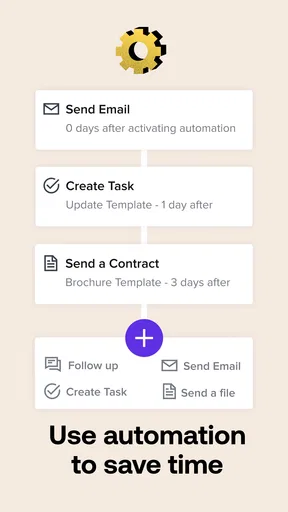
One of my favorite features is the automation. Imagine sending invoices, follow-ups, and appointment reminders without lifting a finger. With HoneyBook, it's not just a dream. I set up automated workflows that saved me hours each week, freeing up time to actually enjoy running my business.
Client Communication Made Simple
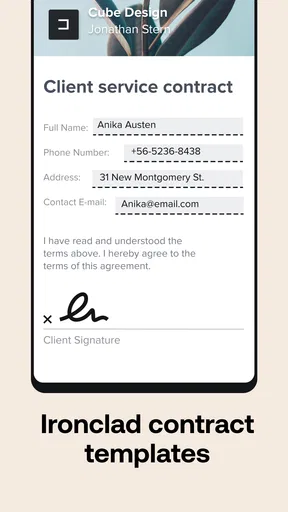
We all know communication is key, but it’s often the first thing to slip through the cracks when you're busy. Thankfully, HoneyBook makes it ridiculously easy to keep in touch with clients. The app allows you to send emails, proposals, and contracts all from one place. The best part? Everything is beautifully branded, keeping your business looking sharp and professional.
And let's talk about the built-in scheduling tool. It syncs with your calendar, allowing clients to book appointments without the back-and-forth email dance. Trust me, it's a game-changer.
Managing Finances Without the Headache
Finances can be a real pain, but HoneyBook turns them into a breeze. The app offers a comprehensive financial tracking system, allowing you to send invoices, receive payments, and track expenses all in one place. I was particularly impressed with the payment processing feature. Clients can pay directly through the app, making the whole process seamless and professional.
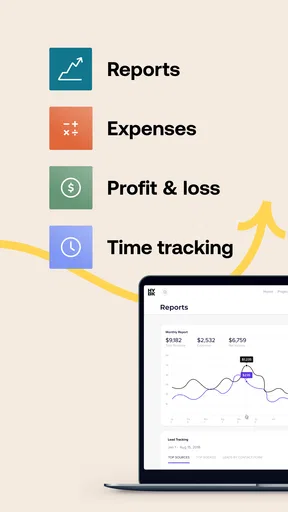
The financial reports provide clear insights into your business's health. It’s like having a financial advisor in your pocket, helping you make informed decisions without the jargon.
Customization and Support
Every business is unique, and HoneyBook understands that. The app offers a range of customization options, from templates to workflows, allowing you to tailor everything to fit your brand. I had a blast creating templates that reflected my business’s personality, all while maintaining a professional edge.
And if you ever hit a snag, their customer support is top-notch. The help center is filled with resources, and the support team is just a click away, ready to assist with any questions or issues. It's like having a safety net just in case you need it.
Final Thoughts
So, is HoneyBook worth the buzz? Absolutely. It’s a powerhouse for small businesses, simplifying processes and saving you precious time. From managing projects to handling finances, it’s like having a Swiss Army knife for your business needs. Whether you're a freelancer or a small business owner, HoneyBook is a tool that can help you thrive, not just survive. So go ahead, give it a whirl, and watch your business flourish!
Verdict
Strengths of HoneyBook - Small Business CRM
- User-friendly interface enhances workflow.
- Seamlessly integrates with popular tools.
- Robust client communication features.
- Efficient project management capabilities.
- Customizable templates save time.
Limitations of HoneyBook - Small Business CRM
- Limited to certain business types.
- Mobile app lacks some desktop features.
- Pricing might be high for small startups.
- Occasional sync issues reported.
- Learning curve for new users.
Similar Picks in This Category
View All
LinkedIn: Community & Network
LinkedIn3.8

Zoom Workplace
zoom.com4.1

Microsoft Teams
Microsoft Corporation4.6

Meta Business Suite
Meta Platforms, Inc.4.6

Webex Meetings
Cisco Systems, Inc.4.5

TeamViewer Remote Control
TeamViewer4.4
Frequently Asked Questions
What features does HoneyBook offer to help manage my business?
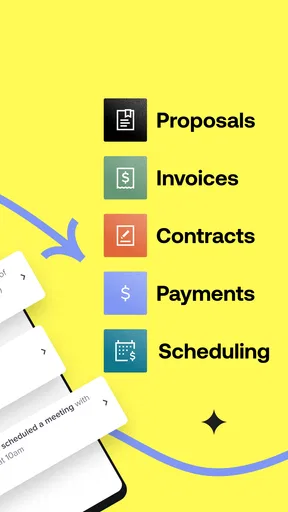
HoneyBook provides a comprehensive suite of tools designed to streamline workflow for small businesses. Key features include project management, client communication, invoicing, and payments. Additionally, it offers templates for contracts and proposals, making it easier to maintain a professional image without starting from scratch each time.
Is HoneyBook suitable for all types of small businesses?
Yes, HoneyBook is versatile and can be adapted for various small businesses, particularly those in creative industries like photography, event planning, and design. Its features cater to businesses requiring client management, project tracking, and seamless communication, offering flexibility to tailor the platform to specific needs.
How does HoneyBook ensure the security of my client information?
HoneyBook prioritizes security by implementing robust measures to protect user data. It uses bank-level encryption to safeguard sensitive information, ensuring that all transactions and client details are kept confidential. Regular security audits and compliance with industry standards further enhance its reliability.
Can I integrate HoneyBook with other tools I use for my business?
Yes, HoneyBook supports integration with various third-party applications to enhance its functionality. It can connect with popular tools like QuickBooks for accounting, Google Calendar for scheduling, and Zapier for automating workflows, allowing you to create a more cohesive business management ecosystem.
What kind of customer support does HoneyBook offer?
HoneyBook offers extensive customer support to ensure users have a smooth experience. Support options include live chat, email assistance, and a comprehensive help center with tutorials and FAQs. The platform also provides community support through forums where users can share tips and solutions.
